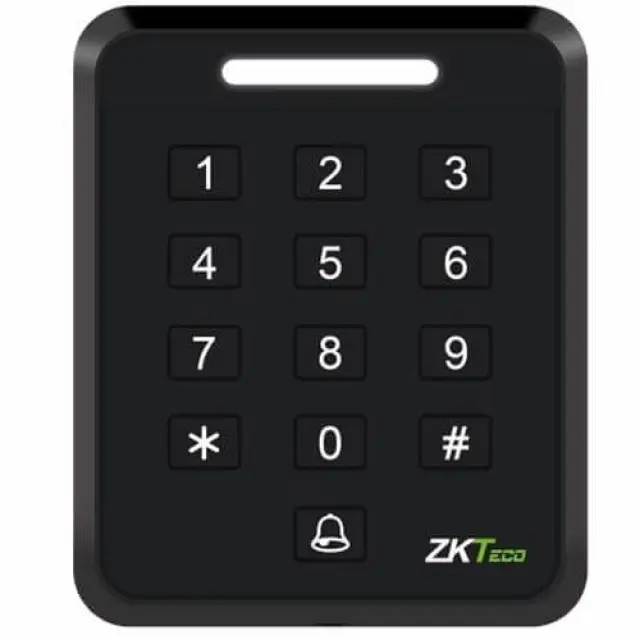
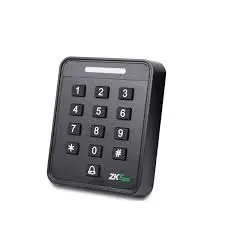
ZkTeco Standalone Device with RFID and Password Authentication
SA40B-M
The ZKTeco SA40-M is a standalone access control device that uses MIFARE cards and a keypad for authentication. The "-M" in the product name indicates it is the MIFARE-compatible version, which operates on a 13.56MHz frequency. This is different from the EM card version (SA40-E), which uses a 125kHz frequency.
Features and functionality
- Authentication methods: The ZKTeco SA40-M supports multiple verification modes, including MIFARE card only, password only, or a combination of both for higher security.
- Capacity: It can store up to 2,000 users and 2,000 passwords.
- Compatibility: The device works with standard MIFARE IC cards such as the S50, S70, and IC EV1.
- Standalone operation: The SA40-M is designed to function independently without needing a constant PC or server connection.
- Access control interface: The unit includes a relay output, an interface for a door sensor, an exit button, and a doorbell.
- Design: It has a compact and durable design with a slim, modern body.
Compatible MIFARE cards
The ZKTeco SA40-M can be used with a variety of standard MIFARE cards that operate on the 13.56MHz frequency.
- ZKTeco MIFARE cards: While not specified as being required, ZKTeco offers its own line of RFID cards, including those compatible with MIFARE readers.
- Standard MIFARE Classic: The SA40 supports MIFARE cards with the S50, S70, and IC EV1 chip types, according to ZKTeco Malaysia.
- Team Office Thick RFID Card: This is an example of a MIFARE-type card sold on Amazon that is specified for use with ZKTeco and other RFID systems.
How to use MIFARE cards with the SA40-M
To use MIFARE cards with the ZKTeco SA40-M, you must program them directly on the device.
- Add cards individually: According to user manuals, you can enter an administrator mode to add user cards one at a time.
- Add cards in a batch: The device also supports a batch-add function where you can swipe multiple cards consecutively to add them to the system.
- Program cards with a USB reader: For larger installations, a ZKTeco USB reader like the ZK8500R can be connected to a PC to enroll user fingerprints and card serial numbers directly into the system.
Datasheet
Your Dynamic Snippet will be displayed here...
This message is displayed because youy did not provide both a filter and a template to use.